PDF generation API
HTML, web pages, Markdown and invoice data in; a finished PDF and a download link out.
ASHDOCS is a PDF generation API for the documents your product has to produce: invoices, quotes, statements, reports and anything else you can describe in HTML. One POST request renders the file on our servers and returns a signed URL you can download from, store or pass to the next step of a workflow.
You choose the input that fits the job. Send raw HTML with template data, point at a live URL, upload a Markdown file, or skip layout entirely and send invoice data to one of 16 ready-made designs.
curl -X POST https://www.ashdocs.com/api/v1/tools/html-to-pdf \
  -H "X-API-Key: ash_test_..." \
  -F 'options={"html":"<h1>Invoice 42</h1><p>Total due: 120.00 USD</p>"}'
const form = new FormData();
form.append("options", JSON.stringify({
html: "<h1>Invoice 42</h1><p>Total due: 120.00 USD</p>",
}));
const res = await fetch("https://www.ashdocs.com/api/v1/tools/html-to-pdf", {
method: "POST",
headers: { "X-API-Key": "ash_test_..." },
body: form,
});
const job = await res.json();
console.log(job.output_files[0].url);import json
import requests
r = requests.post(
"https://www.ashdocs.com/api/v1/tools/html-to-pdf",
headers={"X-API-Key": "ash_test_..."},
data={"options": json.dumps({"html": "<h1>Invoice 42</h1><p>Total due: 120.00 USD</p>"})},
)
print(r.json()["output_files"][0]["url"]){
"job_id": "job_8c1f2e7a9b3d",
"request_id": "req_5d0a4c9e1f27",
"tool_key": "html-to-pdf",
"status": "completed",
"output_files": [
{
"filename": "output.pdf",
"size": 8214,
"url": "<signed URL, valid for 1 hour>",
"expires_at": "2026-10-09T13:00:00+00:00"
}
],
"credits_consumed": 0,
"is_test": true
}Response trimmed; values illustrative. Test keys report 0 credits; a live key reports 1.
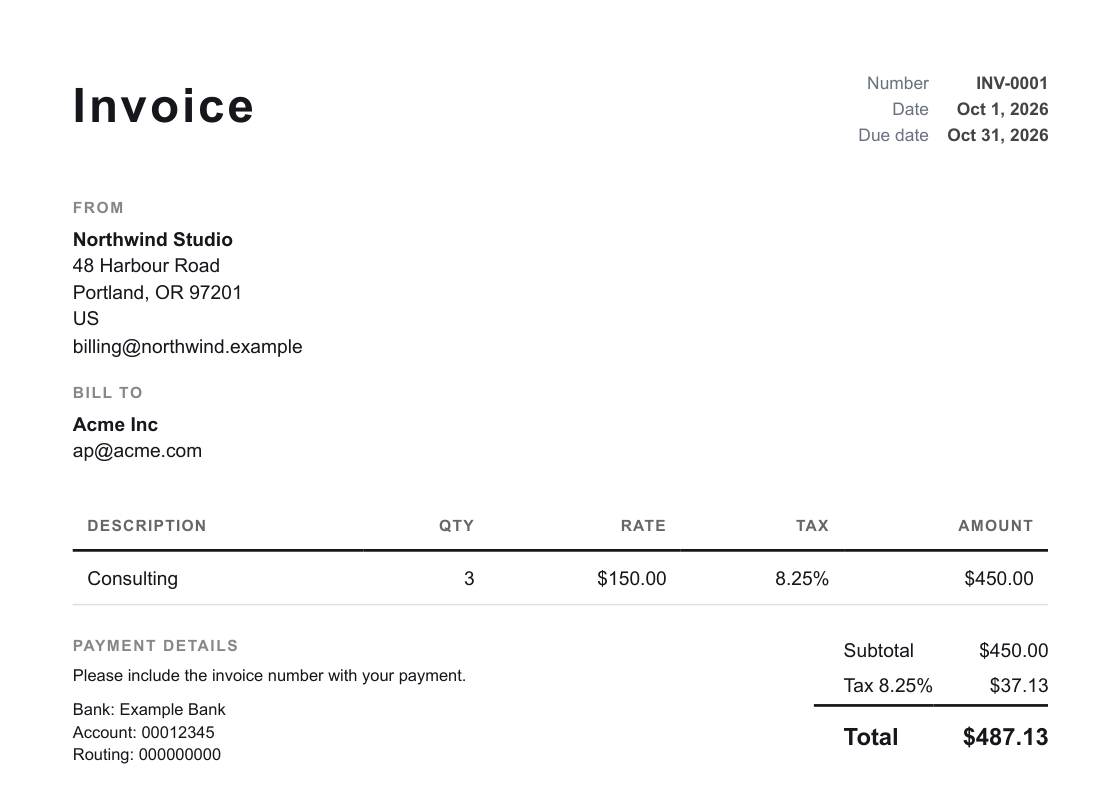
Four ways in
HTML to PDF, URL to PDF, Markdown to PDF and invoice PDF share one key, one credit system and one response shape with a signed file link.
Your template, your data
Keep the layout in HTML with {{ variables }} and loops, and send only the data on each call. Missing values stop the request before a credit is used.
Checked before it ships
Every PDF is validated before success is reported: an empty or broken file, or an unfilled placeholder in template mode, fails the job and is not charged.
What the PDF generation API can render
Each input has its own endpoint under /api/v1/tools/, and they all answer the same way: a job record with status, credits_consumed and output_files, where each file has a signed url and an expires_at one hour out.
| Endpoint | Input | Page size | Credits |
|---|---|---|---|
| html-to-pdf | An HTML string, optional template data | Set by your CSS (@page) | 1 |
| url-to-pdf | A public URL | A4, Letter, Legal, A3 or A5 | 1 |
| markdown-to-pdf | A .md file upload | A4 by default | 1 |
| invoice-pdf | Invoice JSON: parties, line items, tax rates | A4 or Letter | 1 |
Templates: bring your own or use ours
If you already have an HTML design, keep it. Put placeholders in it, {{ customer.name }} or {% for item in items %}, and send the values in a data object. Templates run in a sandbox, substituted values are HTML-escaped, and strict mode (on by default) rejects the call with the list of missing variables rather than printing a blank. You can also save HTML templates in the dashboard and render them from there.
If you would rather not design an invoice at all, the invoicing API renders 16 designs, from Clean and Modern to Receipt (an 80 mm till roll), on Letter or A4. A branding profile sets your logo, colors, one of eight font stacks, layout and labels.
Size, speed and long documents
There is no page-count limit in the renderer. HTML of 2 MB or more is not rendered inside the request: you get a 202 with a job ID and a status URL, and the PDF appears when the background render finishes. Each render has a time budget (180 seconds by default) and a memory ceiling; a document that exceeds either fails with a specific error code and is not charged.
Uploaded input files, such as Markdown, are capped per plan: 10 MB on Free, rising to 200 MB on Scale.
Frequently asked questions
How do I generate a PDF from HTML with an API?
POST your HTML to https://www.ashdocs.com/api/v1/tools/html-to-pdf in a form field named options, for example {"html": "<h1>Report</h1>"}, with your key in the X-API-Key header. The response contains output_files[0].url, a signed link to the PDF that is valid for one hour.
Can I use my own template?
Yes. Write the template in HTML with {{ variable }} placeholders and {% for %} loops, then send the values as a data object on each request. Strict mode is on by default, so a missing variable returns a 422 listing the missing names instead of producing a PDF with gaps.
How large can a PDF be?
The renderer sets no page-count limit; the practical limits are render time (180 seconds by default) and render memory. HTML of 2 MB or more is queued as a background job instead of being rendered inside the request, and uploaded input files are capped per plan, from 10 MB on Free to 200 MB on Scale.
How does pricing work per PDF?
Each HTML, URL, Markdown or invoice PDF uses 1 credit on a live key, and failed renders are not charged. Other tools cost 1 to 3 credits, the Free plan includes 100 credits per month, and test keys never use credits.
Plans
- 100 credits per month
- 1 seat
- No webhooks
- 1,500 credits per month
- 1 seat
- Webhooks
- 10,000 credits per month
- 3 seats
- Webhooks
- 30,000 credits per month
- 5 seats
- Webhooks
- 100,000 credits per month
- 10 seats
- Webhooks
Test keys are free, never expire and never use credits; plan rate limits apply. Webhooks are on paid plans. Issuing an invoice uses 1 credit. No per-seat fees. See full pricing.